
Twitter has been gaining all the headlines since Elon Musk announced its takeover. The micro-blogging platform has been a tricky channel to market on but has given desired results to several brands and businesses. Twitter marketing used to be focused on getting a high number of followers but that’s not working for campaigns anymore. To succeed on the platform, it is now necessary to keep the audience engaged. This is where Twitter audience insights play a crucial role.
Creating content that is relevant to your audience base is one thing but knowing what the audience is looking for is another. Twitter audience analytics help you solve this mystery!
Relying on a Twitter analytics tool like Unbox Social can give you a clear picture of your brand position on the platform. The tool gives you all the data required to frame an effective strategy.
But before we jump to the Twitter marketing strategies and campaigns, let’s learn about how to conduct in-depth Twitter follower analytics.
Easy Ways to Get Twitter Audience Insights And Analyze Followers
1. Start by analyzing your Twitter marketing campaign
Before digging deeper into your Twitter audience demographics, make sure to study your campaign closely. Brand marketers need to know their campaigns in and out wherein they must be able to justify every objective and plan. See to it that you analyze your campaign and make note of what can be altered to suit the results in a better way. The purpose of every campaign is distinct and the target audience for each campaign might also differ. This is why it is important to examine the campaign closely to know about the glitches that may have occurred.
The campaign performance will also tell you whether your content strategy has worked with your audience.
2. Check what your Twitter audience is tweeting about or interested in
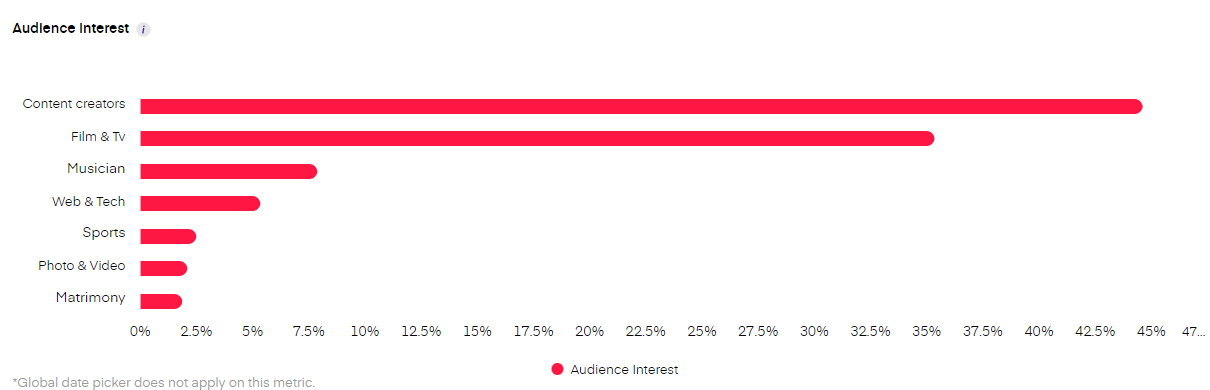
To know what kind of content will fetch you the desired engagement and reach, it is essential to know what the users are talking about. Marketers must be aware of the trends on Twitter to frame relevant content strategies. Additionally, also keep a watch on what is going on in terms of content with your niche as a whole. Are the users responding to videos more? Are they more interested in product launch events and updates than other content related to your brand? Try and look for a common interest area that is keeping your brand and the user in a loop (Pro Tip- Unbox Social’s social media analytics solution will help you detect audience interests for your profile). Examining your audiences’ tweets will also tell you what kind of content and topics you must include in your campaigns.
3. Analyze your Twitter competitors and their audience base
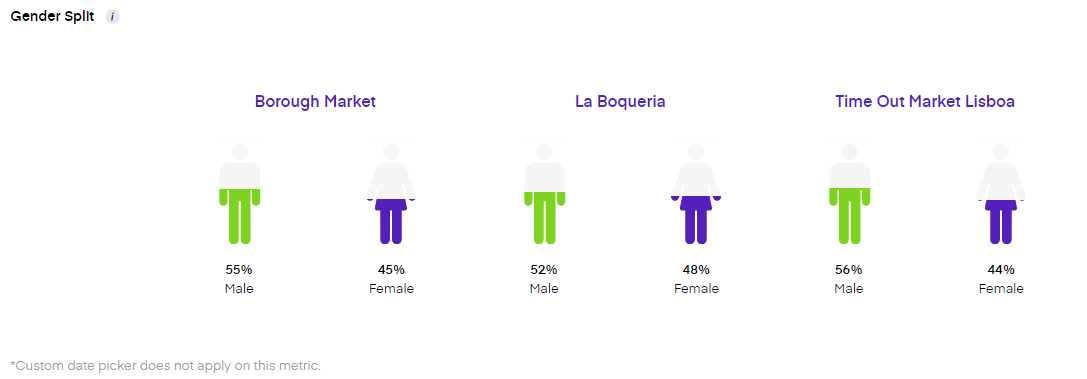
Competitors can also give you a lot of data regarding your target audience. Audience insights on Twitter will help you get information about your brand’s audience base but there’s a lot more your competitors are targeting. Be it real-time data or records, the competitors’ data will give you insights into the audiences that can be your potential consumers. Twitter analytics tools like Unbox Social have a dedicated solution to help you with Twitter competitor analysis. The tool gives you information about your chosen competitors and provides data regarding their Twitter audience demographics. These Twitter insights are helpful when brands need to redirect their target audience or explore a newer set of audiences.
4. Check Twitter follower demographics regularly
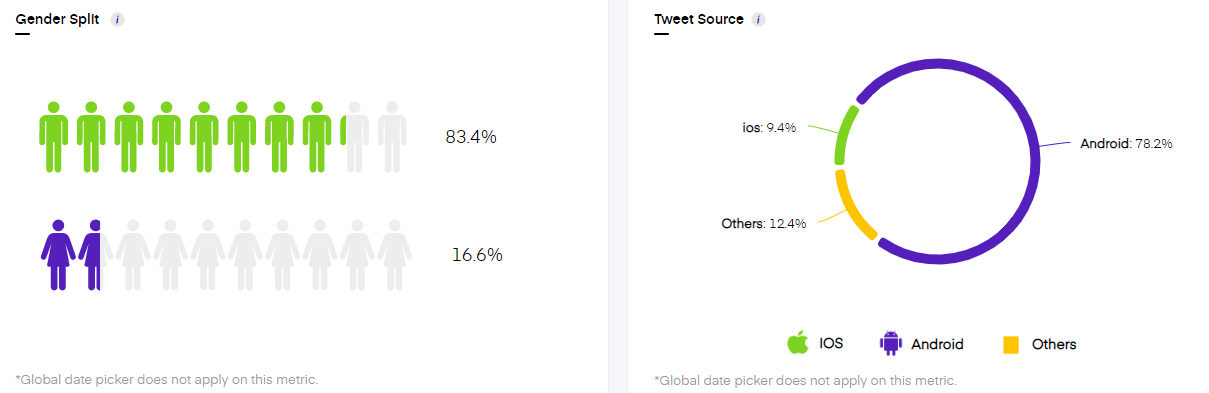
Keeping a track of your Twitter follower demographics will help you understand what kind of users are following your account. The demographics will tell you whether your audience is relevant to your brand. The Unbox Social tool gives you a detailed account of audience demographics which helps you know your audience base better. The tool also gives you data on tweet source, recent followers, and the audience’s follower account. Monitoring the follower demographics will help you frame your brand campaigns efficiently.
5. Know the content themes fetching you the highest metrics on Twitter
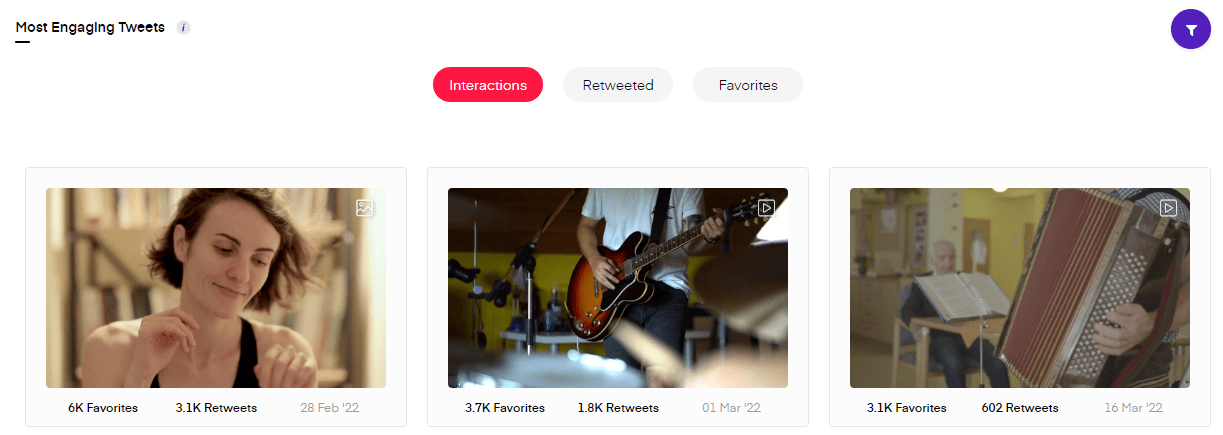
Brands often follow what their competitors are doing on the platform without giving it a thought. Audiences are always inclined to a particular kind of content or content format. This can help you connect with your followers and analyze them better. The tweet performance of your brand will help you determine what kind of content is fetching you the highest response on Twitter. This will ease your campaign plans because you will have an idea of what your audience is interested in. The Unbox Social tool has a social media analytics solution for Twitter wherein you can check the performance of top engaging tweets.
6. Detect a pattern in your posts that have clicked well with the audience
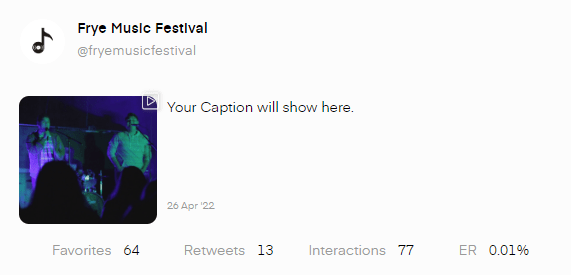
Audience insights for Twitter must be examined along with the content performance of the profile. This will help you create a link between the audiences and the kind of content they like. Track the performance of your tweets regularly to draw a pattern of what works with the audience base. The Unbox Social tool gives you detailed insights into every post.
7. Analyze how the followers are interacting with your content
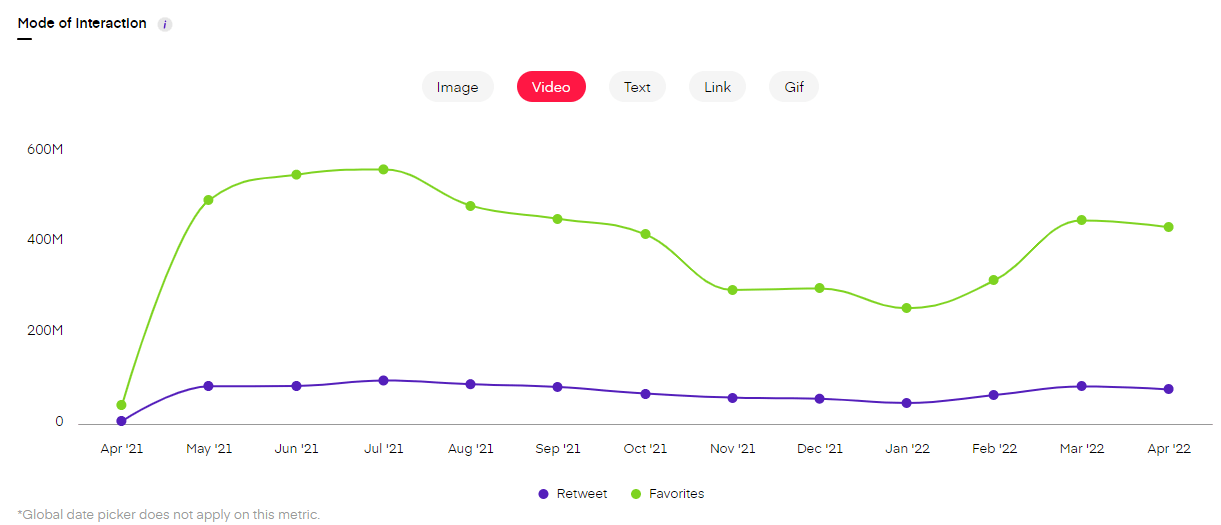
Analyzing what the audience wants and posting the same on Twitter is just half the battle won. Marketers must also keep an eye on how their followers are interacting with the published tweets. This will tell you a lot about user behavior on Twitter. Detect the way your Twitter followers are interacting with your content and what kind of content is getting the most engagement to get a complete picture of how your followers are perceiving the content. This data will also tell you if you need to target a different content format.
8. Check the hashtag performance
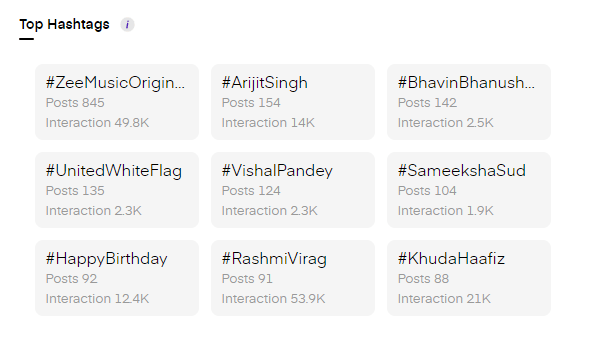
Twitter marketing campaigns are bound to have hashtags in most cases. Brands often highlight hashtags in their campaigns to connect with the users and increase reach. Hashtags need to be framed properly so as to convey the campaign goal effectively. Tools like Unbox Social give you data for top-performing hashtags too. The data will tell you the hashtags that have been used the most and have fetched the most interactions on the platform. This data will tell you which hashtags are getting the desired attention from your followers!
Twitter audience insights can change the fate of your brand campaigns. Twitter follower analytics help you know your audience better which helps improve your brand presence on the platform. To conduct thorough Twitter audience analytics, brands must rely on tools like Unbox Social. Trust us, monitoring your Twitter audience regularly will scale up your strategies to a large extent.